Plan your raised beds from the first sowing to the last harvest
Draw your raised beds, lay crops out on a square-foot grid, and Plantyd builds a calendar from your own frost dates: when to sow, when the bed frees up, and what can still finish before the cold.
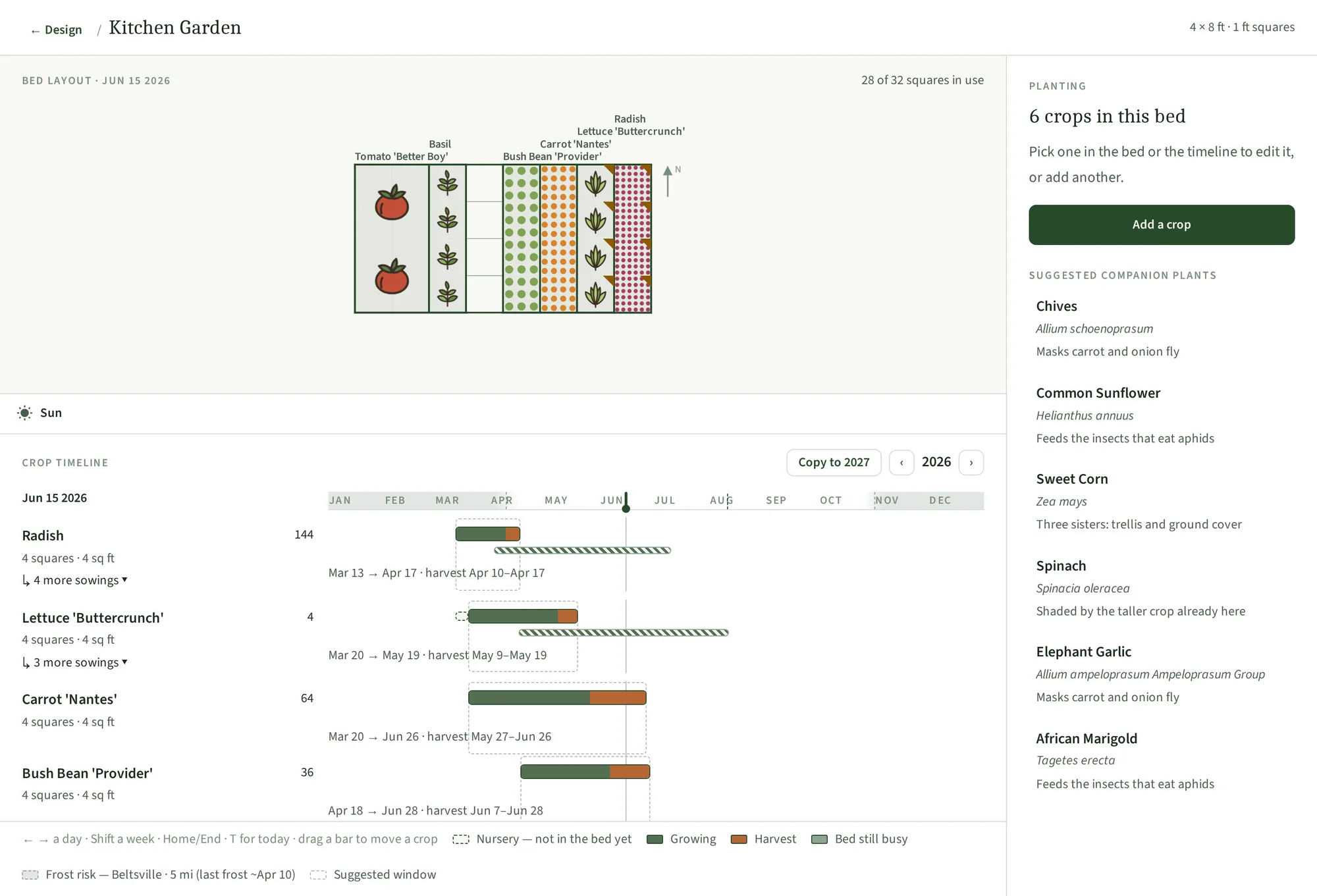
The hard part is when, not where
Your vegetable bed never stands still. The radishes come out in April and something has to go in behind them. The tomatoes cannot go out until the frost risk has passed. The garlic wants to be in the ground before the ground freezes.
A shrub bed is finished when it is drawn — you place things, they fit or they do not, and then they stay there for fifteen years. A vegetable bed gets replanted three or four times before the same frost comes back around. Getting it right is a matter of sequence, and the sequence is what a drawing on its own cannot show you.
You draw the bed, then fill the squares
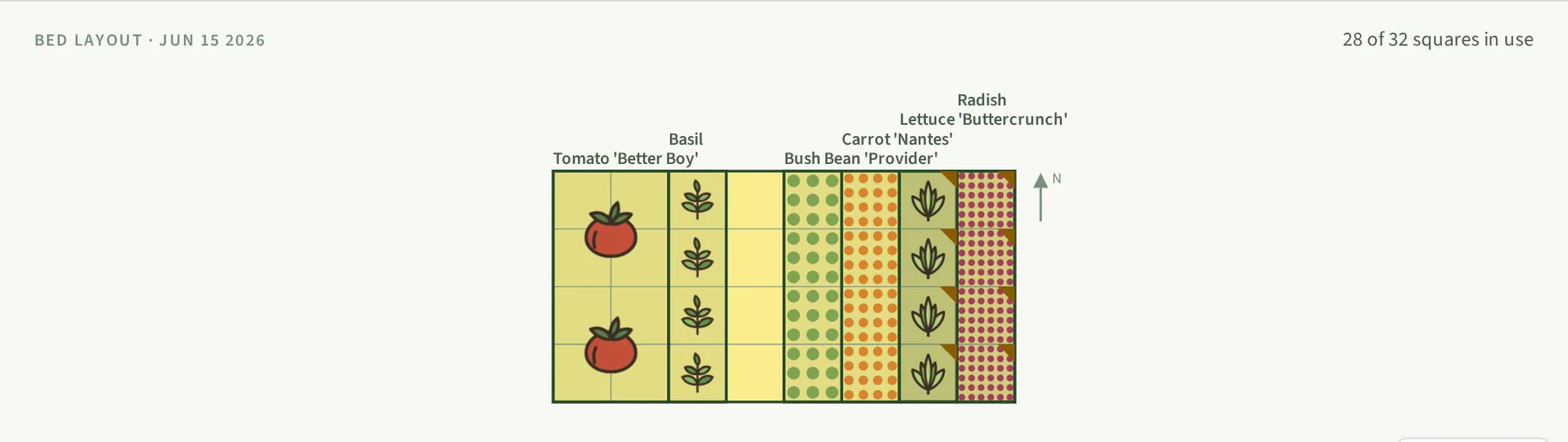
You draw a bed on your design canvas, raised or in the ground, and set its size and grid — half-foot, one-foot or two-foot squares. Then you assign a crop to each square. Plantyd works out how many plants fit from the crop's real spacing, so a two-by-two-foot block of carrots is sixty-four carrots once thinned, and the same block of tomatoes is one tomato.
Every crop carries its own in-bed spacing and its days to maturity, and whether that clock starts at sowing or at transplant.
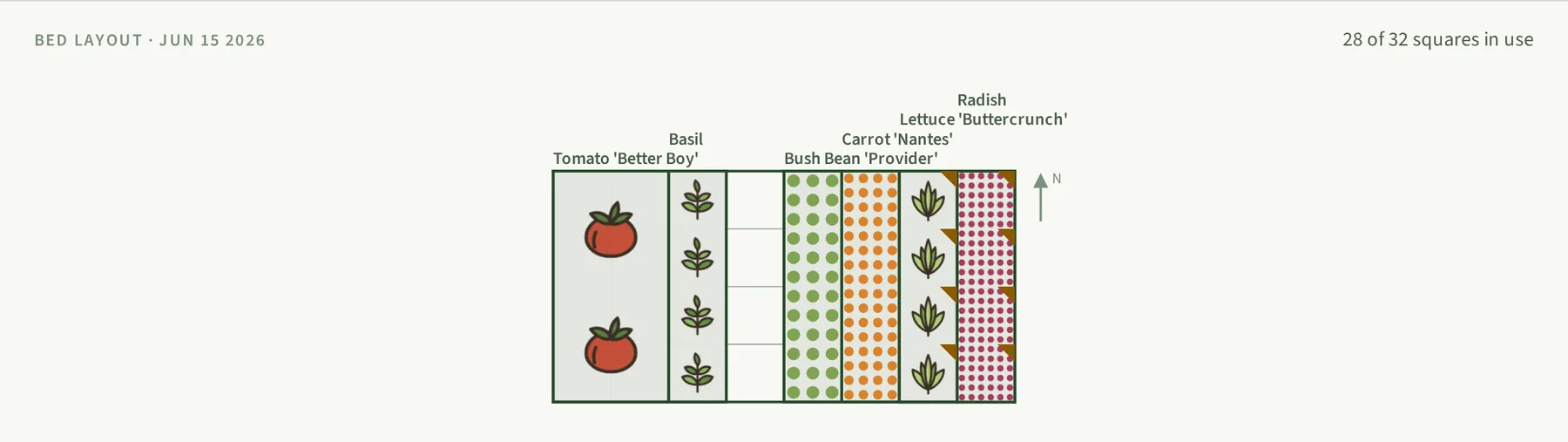
The schedule comes from your local frost dates, not a generic chart
Plantyd finds the nearest of 6,949 US weather stations and reads its frost normals from NOAA's record. A seed packet that says “sow after last frost” becomes an actual date for your yard.
You also choose how much risk to run. Cautious waits for the date by which only a 30% chance of further frost remains, balanced takes the median, and bold plants early and accepts the odd loss. The whole calendar moves with that one setting.
The timeline draws each crop as a bar:
- Dashed — still in the nursery, not yet in the bed
- Solid green — growing in the bed
- Orange — ready to harvest
- Stripped — succession sowings
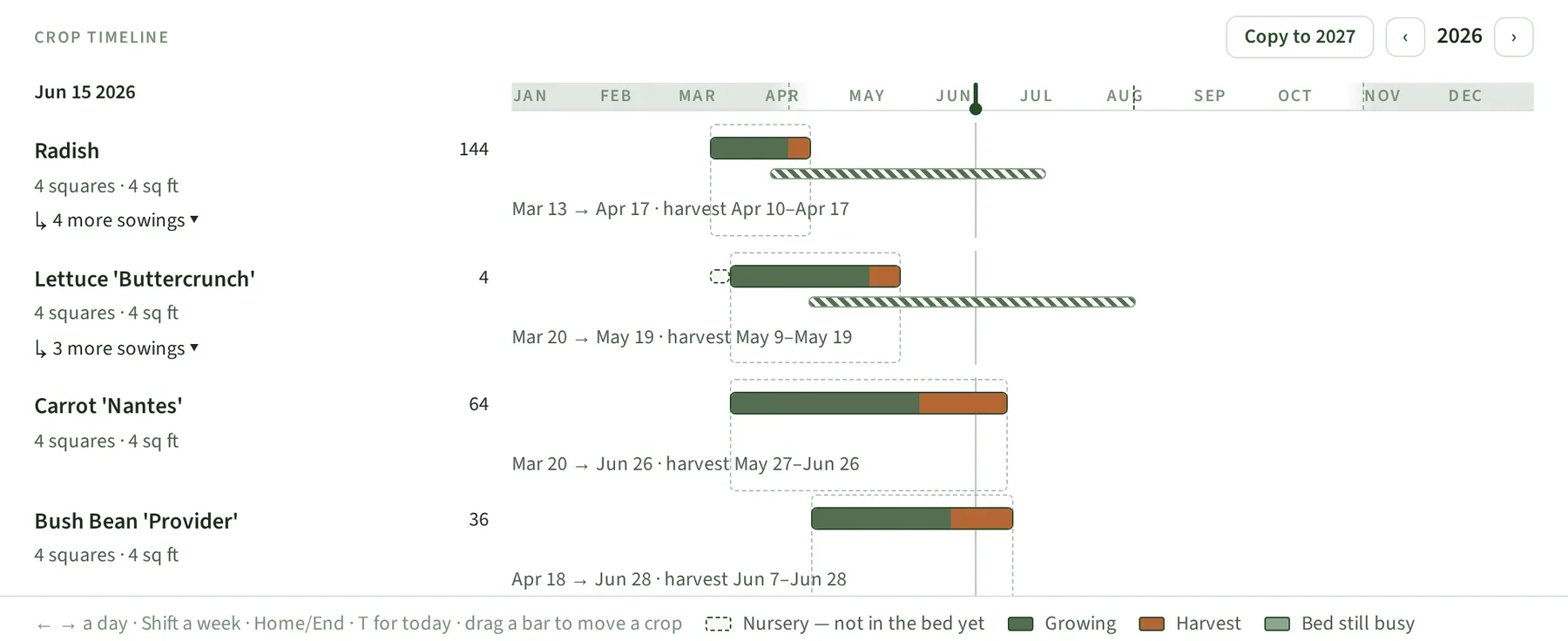
You set the interval, and Plantyd dates every sowing
A succession is the same crop sown several times through the season. You give Plantyd two numbers: the days between sowings, and how many more sowings to make. You set both, and they apply to that crop only. Plantyd fills in a starting interval: the number of days the first sowing occupies its squares. At that interval, the next sowing goes in as the first comes out. Change it to any gap you want. Three weeks suits lettuce. Tomatoes need much longer, because one sowing holds its squares for most of the season.
Plantyd then creates each sowing on the same squares, with its own dates. Every sowing is a normal planting, so you can move it, shorten it or delete it without affecting the others. That matters most for the last sowing, which frost often cuts short. When a sowing's bar ends, its squares are free, and Plantyd shows what could go in next, using the date the squares actually open up.
It remembers what grew there last year
Plantyd tracks which botanical family held each square, and flags a family coming back too soon. Three years is the default gap, because clubroot, white rot and blight build up in the soil where their host grew.
Successions inside one season never warn: spring carrots followed by an autumn sowing is what the season is for, not a broken rotation. Warnings are chips you can read and dismiss, not blocks on saving.
Companion suggestions that say why
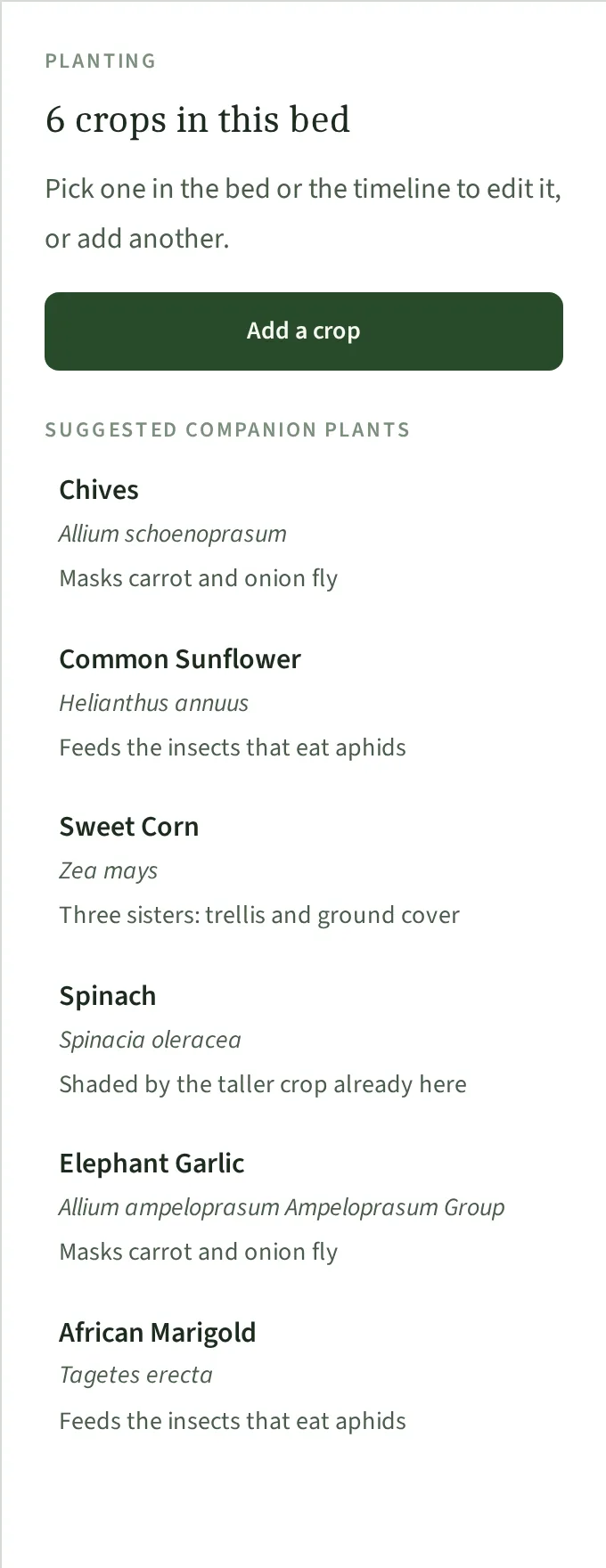
Plantyd suggests crops worth adding to the bed. Each suggestion carries its reason on the row. For instance: “feeds the insects that eat aphids” or “leaves nitrogen for the next crop”. Hover one and you get the full explanation and where it comes from. It also warns you about pairs already in the bed that work against each other.
Your beds get their own sun check
The same sun analysis that runs on your whole yard runs on a bed, square by square, and counts how many squares fall in each classification. That answers the question you actually have before you commit a bed to tomatoes. Free accounts get the summer check; Pro adds the other three seasons. There is a worked example in how to lay out a raised garden bed around the sun.
Try it on your own yard
Start designing freeFree to start · No credit card required
The rest of the picture
Start from a satellite view of your actual yard
Type your address and trace your property line. Two minutes later you have a to-scale design of your yard with the house, the driveway, and the existing trees already on it — and you never touched a tape measure.
See how satellite canvas works →Sun & shade analysisKnow exactly where every shadow falls
Plants fail in the wrong light more often than for any other reason. Plantyd counts the hours of direct sun that reach every square foot of your yard, then shows you the species that will work best.
See how sun & shade analysis works →Growth over timeWatch your garden mature before you plant a thing
Move one slider and your whole design grows. See it at Year 1, Year 5 and Year 15, so you can fix the spacing now — while fixing it is free.
See how growth over time works →