See your garden before you plant it
Stand anywhere in your design and see what will be in front of you, as a watercolor or a photograph. Change the season or the year, and the view changes with it.
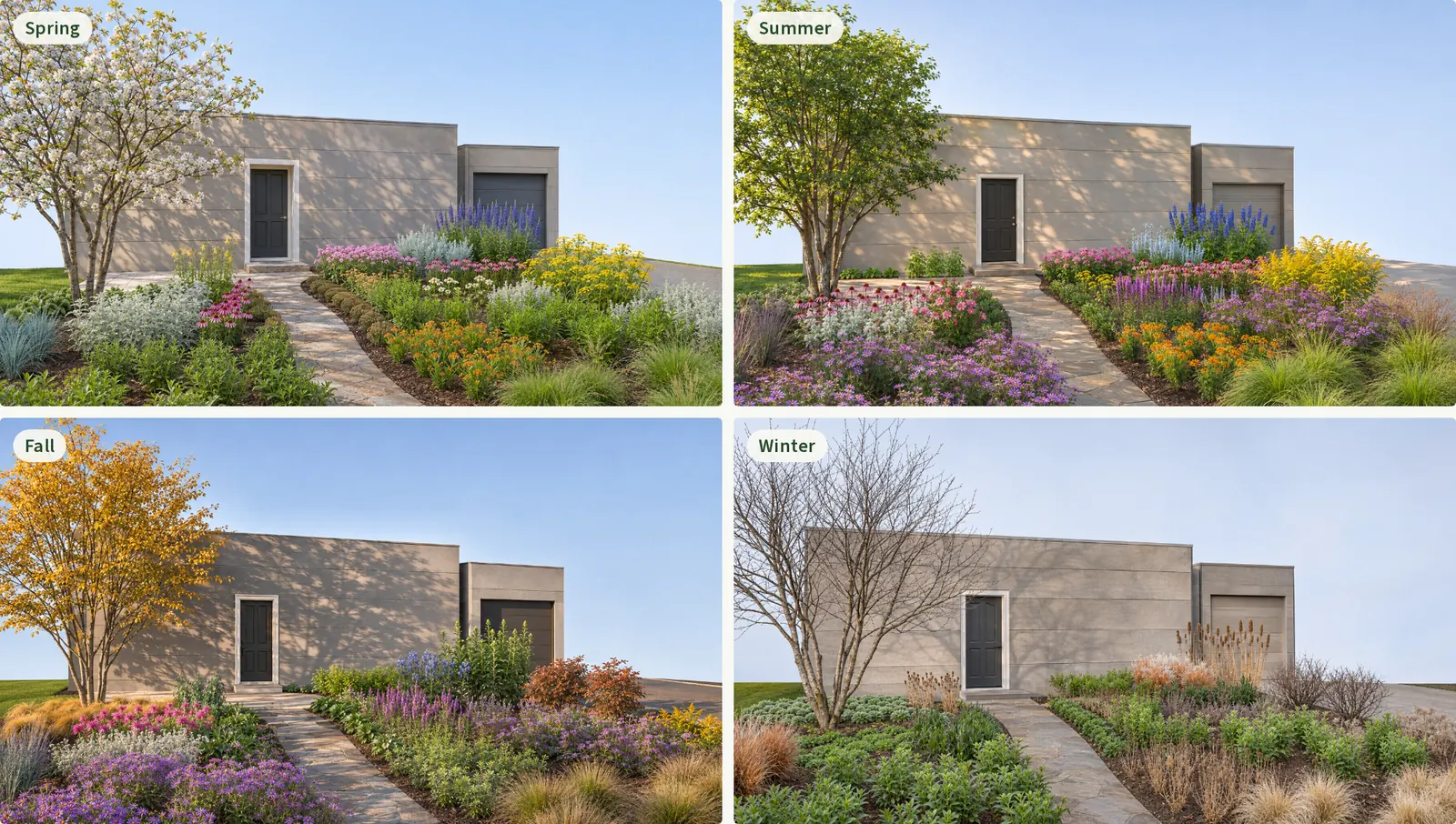
Step into your garden
A plan drawn from above is the right tool for spacing plants and deciding how many to buy. But you will never see your yard from above. You will see it from the front walk, the kitchen window and the chair on the patio.
Most people find it hard to turn a page of circles into a picture of a garden. So the first time they really see the design is a year after planting, when changing it means digging things up.
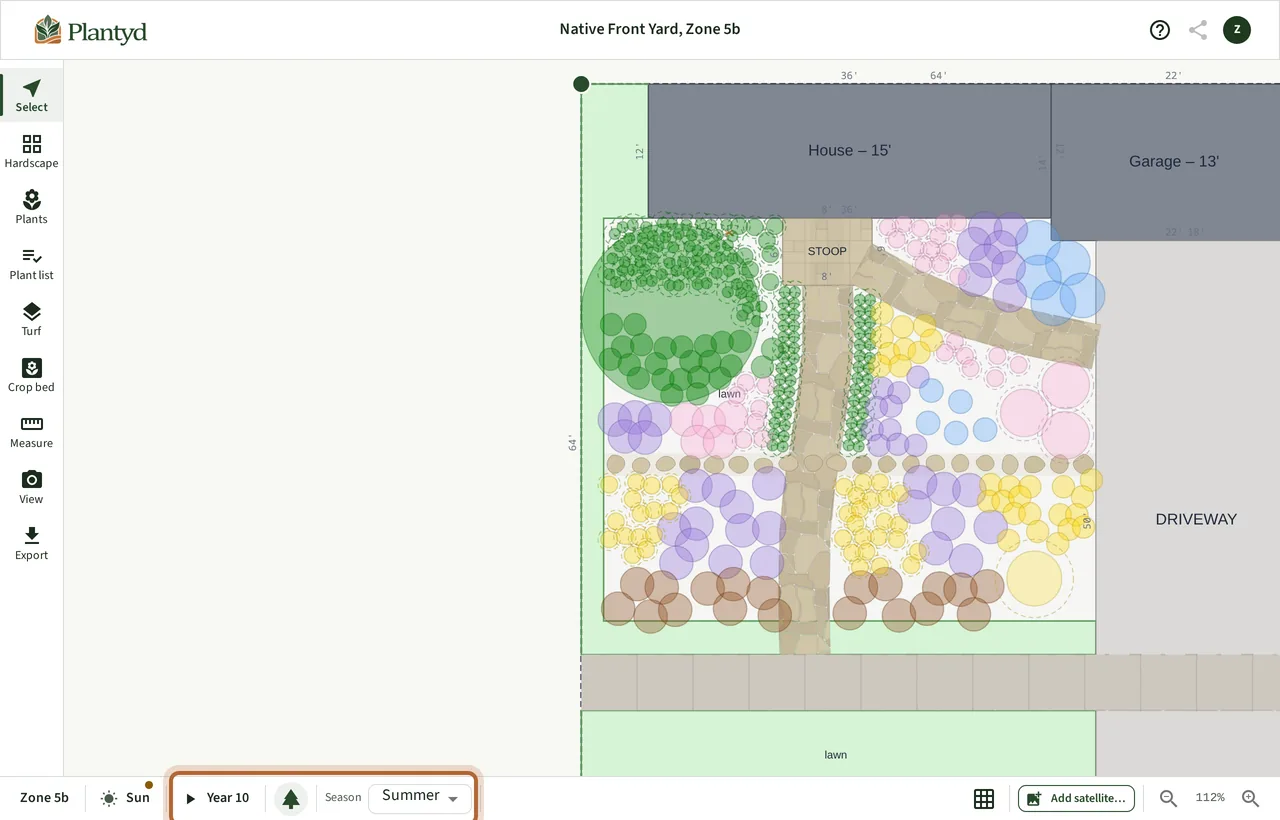
Garden View lets you see it first. You choose where you stand and which way you look, and Plantyd shows you the garden from that spot.
Put a camera anywhere in your plan
Garden View works on the design you already have. There is nothing extra to build.
The picture comes from your plan, not from a guess
Photo makeover apps paint a new garden over a picture of your yard. It can look lovely, but you cannot plant from it, because nothing in it has a real size or a real place.
Garden View starts from your design instead. Plantyd builds a 3D scene of your yard as you drew it: every plant you placed, at its size for the year you chose, with your house, paths, patio and lawn where you put them. Then it paints the picture from that scene, with instructions to add nothing that is not in it.
Use it to judge how the garden will feel. Use the plan to check spacing, because a picture can soften a detail and the plan is the thing you build from.
Choose a watercolor or a photograph
Both looks show the same view of the same design. Watercolor comes with every account. Photorealistic is part of Pro.
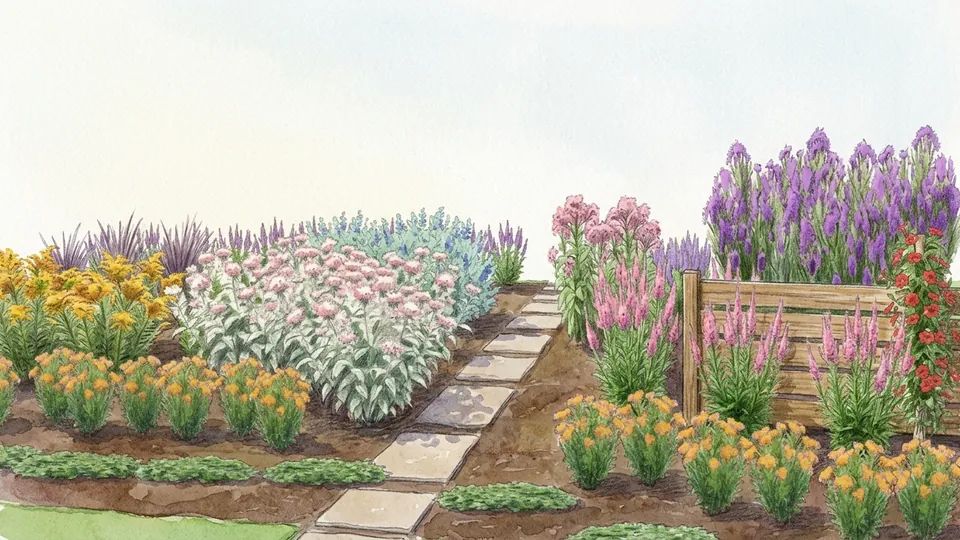
Watercolor
Free and Pro
- A soft picture in the style of a designer's sketch
- Good for sharing an idea before anyone gets stuck on details
- Free: 3 a month, with the Plantyd watermark
- Pro: part of your 25 a month, with no watermark
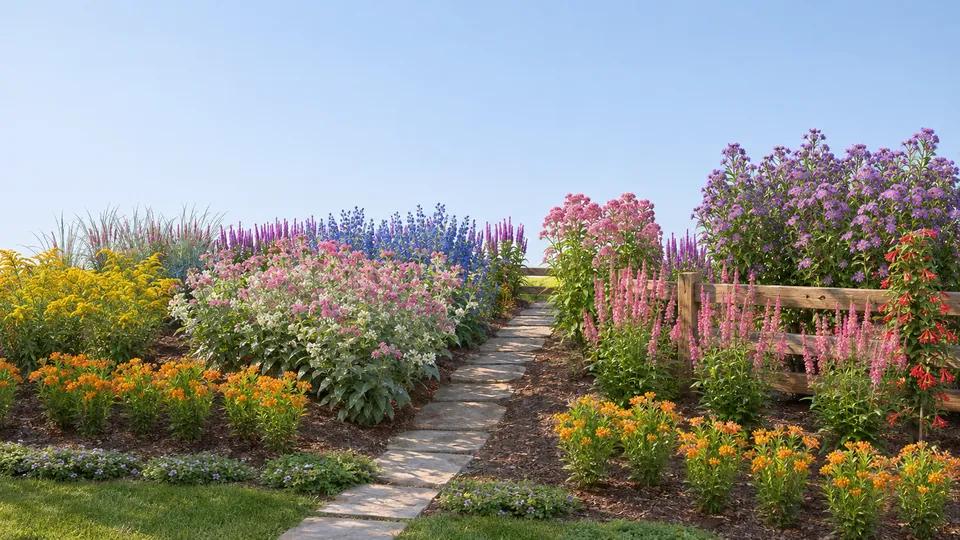 Pro
Photorealistic
Pro only
- The same view as a daylight photograph, shadows and all
- Good for picturing the finished garden
- Part of your 25 garden views a month, with no watermark
See the same view in every season
Plants change through the year, and garden views follow them. Each plant shows its flower color in the season it blooms and its fall color in fall. Trees and shrubs that drop their leaves stand bare in winter. Annuals and vegetables appear only in the seasons they are in the ground.
That makes gaps easy to spot. If the view is all green in July, or empty in January, you know which season to plant for next.
Seasons are part of Pro. Free accounts see summer.
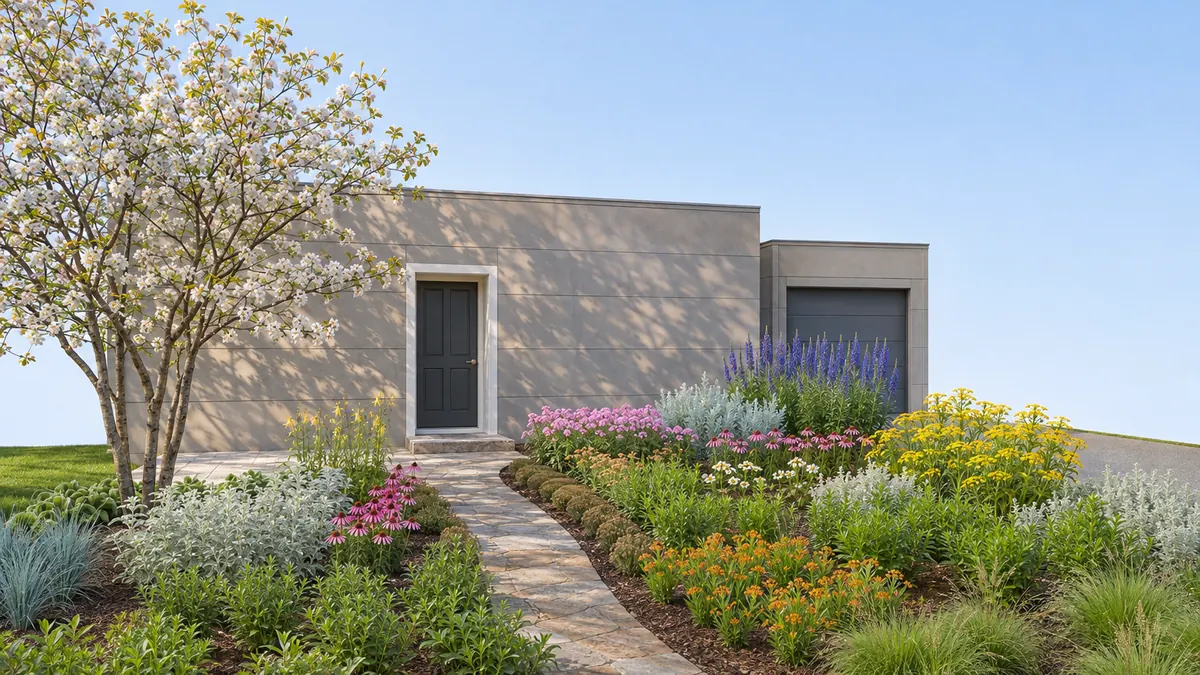
Look ahead to the garden you will have in ten years
A garden view uses the same growth year as the rest of your design. Set the growth timeline to Year 1 to see the bed the week you plant it, or to a later year to see it filled in. It is the quickest way to check whether a young tree will one day block the view from the window.
Free accounts can look at Year 1 and Year 15. Pro adds Years 3, 5 and 10.
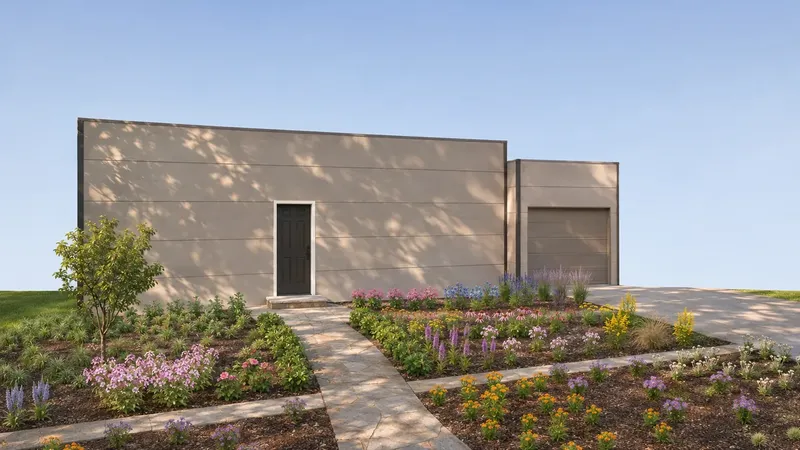 Year 1
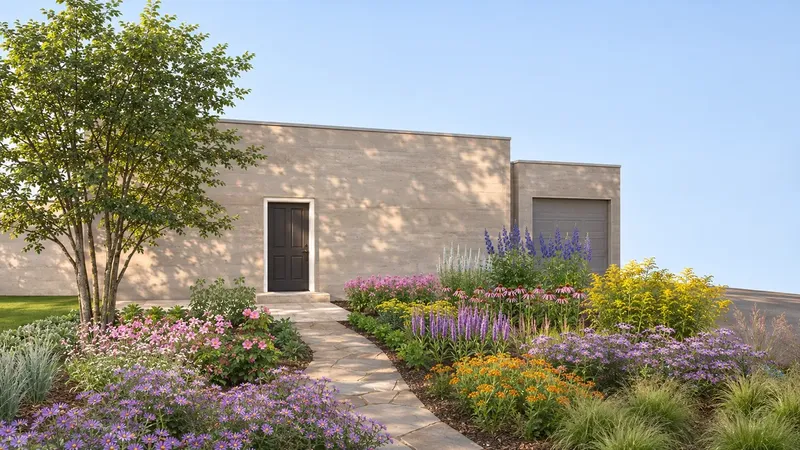 Year 10
What Free and Pro include
Every garden view you make is saved with your project, so you can download it or compare it with the next one. See pricing for the full list of features.
| Plan | Garden View |
|---|---|
| Free | 3 garden views a month, in watercolor, in summer, at Year 1 or Year 15. Each one carries the Plantyd watermark. |
| Pro | 25 garden views a month, in watercolor or photorealistic, in any season and any growth year, with no watermark. |
Try it on your own yard
Start designing freeFree to start · No credit card required
The rest of the picture
Start from a satellite view of your actual yard
Type your address and trace your property line. Two minutes later you have a to-scale design of your yard with the house, the driveway, and the existing trees already on it — and you never touched a tape measure.
See how satellite canvas works →Sun & shade analysisKnow exactly where every shadow falls
Plants fail in the wrong light more often than for any other reason. Plantyd counts the hours of direct sun that reach every square foot of your yard, then shows you the species that will work best.
See how sun & shade analysis works →Bed plannerPlan your raised beds from the first sowing to the last harvest
Draw your raised beds, lay crops out on a square-foot grid, and Plantyd builds a calendar from your own frost dates: when to sow, when the bed frees up, and what can still finish before the cold.
See how bed planner works →Growth over timeWatch your garden mature before you plant a thing
Move one slider and your whole design grows. See it at Year 1, Year 5 and Year 15, so you can fix the spacing now — while fixing it is free.
See how growth over time works →